Edit Meta Data
The Edit Meta Data dialog changes the SEO title and meta description of a page: the blue headline and the short text Google shows in search results.
How to get here: Sidebar > Suburb Pages (or another page type) > select a page > Actions > Edit Meta Data. See Page details.
Renditions
A page can have several renditions: versions of its title and description written when the page was generated. Your suburb pages rotate through them, so pages for different suburbs do not all carry identical text. You edit one rendition at a time.
The SERP Preview on the page details screen shows the same renditions, so you can compare them before you edit.
Edit a title and description
- Select Edit Meta Data. The dialog opens on the rendition currently in use.
- If the page has more than one rendition, choose the one to edit under Rendition. The fields change to that rendition's text.
- Change the SEO Title and Meta Description.
- Select Save.
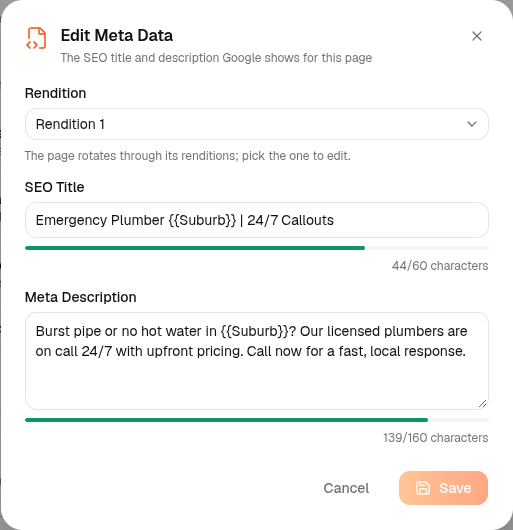
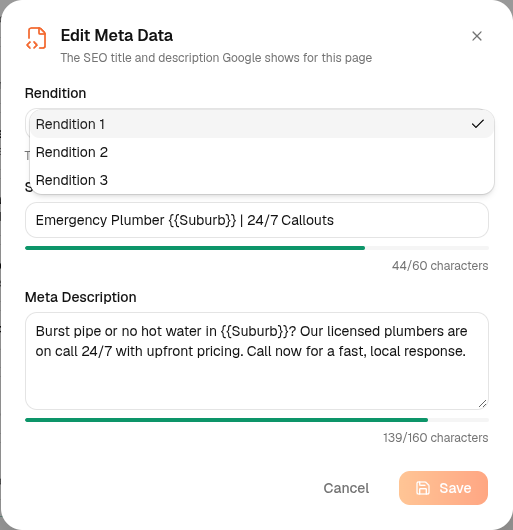
The dialog closes and the SERP Preview updates with the new text. To edit another rendition, open the dialog again and pick it.
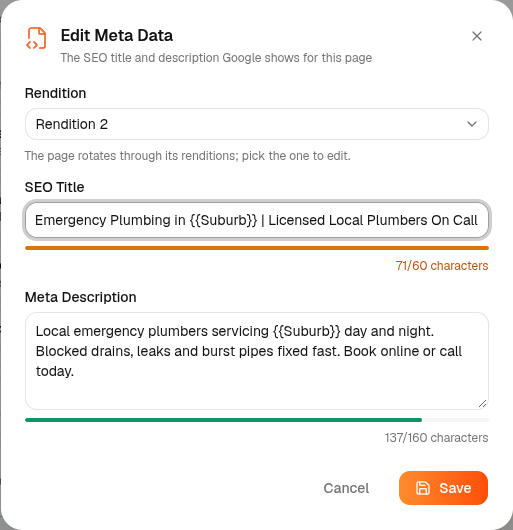
Save stays unavailable until you change something, and while the SEO Title is empty. Cancel or the close button discards your changes.
Fields and limits
| Field | Recommended length | Notes |
|---|---|---|
| SEO Title | Up to 60 characters | Required. Google usually shows about this much of a title |
| Meta Description | Up to 160 characters | Google usually shows about this much of a description |
Under each field a bar and a counter (for example 44/60 characters) show how much of the recommended length you have used. Past the limit, the bar and counter turn amber. You can still save, but Google may cut off the extra text in search results.
Using the suburb name
Write {{Suburb}} where the suburb name should go, for example Emergency Plumber {{Suburb}} | 24/7 Callouts. On each suburb page it is replaced with that page's suburb, such as "Emergency Plumber Joondalup". Keep it exactly as written, with two curly brackets on each side. Spaces at the start and end of a field are removed when you save.
Messages you may see
| Message | What it means |
|---|---|
| This page has no meta title or description yet. They are written when the page is generated. | The page has not been generated. Generate it with the Page Generator, then come back |
| Couldn't load the renditions: | The current text could not be loaded. Select Retry |
| Couldn't save: | The change was not saved. The dialog stays open with your text so you can try again |
Related guides
- Page details: the SERP Preview and the other page actions.
- Structured data: the schema behind the star rating and badges in search results.
- Page Generator: generating a page's content, including its renditions.